User Experience, Research based design, User Research, Usability engineering and testing, User Centered Design, HCI, Information Architecture & Interaction Design in Singapore by Abhay Rautela
Send me a pic: Did you put it up at work? Is it looking good? Take a pic and mail it to me or upload the pic and send me a link. I’d love to know where you’ve put it up and how it looks. You can mail me at hello at conetrees dot com
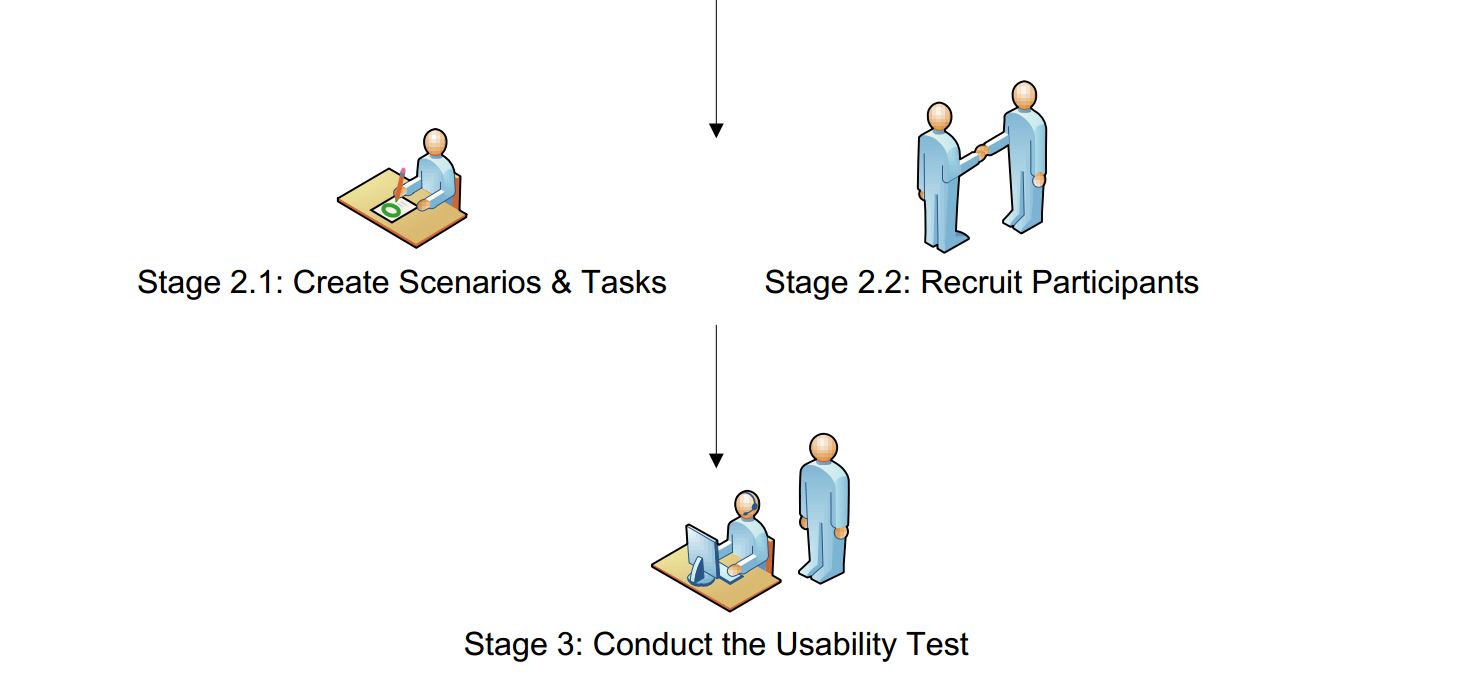
A usability test consists of the following steps:
1- Usability test planning
2.1- Participant Recruitment
2.2 Scenario & Task creation
3- Execute the usability test/ conduct usability test sessions
4- Data Analysis
5- Reporting
6- Usability test recommendation incorporation checkpoint
I will follow up with another post to explain the steps in detail, but for now, here is some detail on step 6. Step 6 is not mentioned in most generic usability testing processes, but I want to stress upon it since it is plays a good role in optimizing the usability test process.
After you report the usability test findings and recommendations, stakeholders will agree to incorporate a certain number of recommendations. After the period for incorporating usability test recommendations has passed, you should hold a checkpoint meeting for the following purpose:
To see how many of those suggestions agreed upon have actually been incorporated. There is no point of conducting usability test after test if recommendations (that everyone agrees will improve the usability of the product tested) are not incorporated. You don’t want to keep conducting usability tests where you come out with recommendations, stakeholders agree on incorporating some, and then everybody forgets about it. And in the next test, you come out with many of them same old ones— this is simply not a very optimal way of doing things. This checkpoint thus helps you mitigate what I think is a concern worth addressing.
Using data, conclude whether those suggestions did or did not improved the usability of your product (or the portion/ section you tested upon), recommendation by recommendation. In case they did, you may want to find out if there is any further scope of improvement. And in case they did not, you may want to understand what wrong assumptions were made while giving particular recommendations and learn from them so you can avoid them in similar cases in the future.
There are a bunch of touch screen hand gesture stencils available at Kicker Studio for OmniGraffle, Illustrator CS3, Photoshop, Visio, Fireworks (there’s an SVG file as well).
I went ahead and created Axure stencils to add to the variety of formats available there. The Axure touch screen hand gesture stencils are available in Axure widget library (.rplib) and project file (.rp). You’ll find all the hand gestures in two sizes- regular and large.
Two Axure widgets (clear text on focus of text field & clear text on focus of text area) for the Input Prompt design pattern are available for download in Axure widget library (.rplib) and and project file (.rp) format.
Demo the Clear Input Field Value on Focus Axure widgets
This presentation describes how creating an accessible website takes care of its (organic) search engine optimization to a very appreciable extent.
I gave this presentation to the Sapient creative community at the New Delhi office in February 2007 (where I was also creator and moderator of the Sapient Web Accessibility distribution list and accessibility wiki node).
Update (January 10, 2010)
If you are interested in learning about effective usability testing in India, do attend my (half day) tutorial at the India HCI 2010 conference on 21 March at IIT IDC, Mumbai. Tutorial details.
Note: The presentation below is not what will be presented for the tutorial. The slide based interactive lecture will be in far more comprehensive.
Update (March 3, 2009)
This presentation was featured on the SlideShare homepage today and got above a thousand views all in a day. Thanks SlideShare.
An Introduction to Usability Testing & Tips for Effective Usability Testing in India
Here’s the presentation, ‘An Introduction to Usability Testing & Tips for Effective Usability Testing in India’ I gave on day 2 of Bar Camp at the Management Development Institute (MDI), Gurgaon on March 1, 2009.
If you’re looking for a professional and aesthetically designed minutes of meeting (MOM) template, you might like this MOM template thats available for download free in Microsoft Word Format (doc).
Since the wallpaper is saved in gif format, it won’t display well if stretched. So in case your machine is set on a resolution other than the dimensions available for download above, let me know by dropping a comment and I’ll add one for it.
Here’s a Power Point presentation template I’ve made which I often use in presentations. Feel free to use and modify it. If you like it, let me know. Don’t forget to let others know as well!